Android Linux: A New Professional Development Option
Dec 07, 2025With the increasing popularity of mobile development, developers' demand for "coding anytime, anywhere" has become increasingly strong. The Linux Development Environment (LDE) launched by Google for the Android ecosystem is precisely the key feature to meet this demand—it allows compatible Android devices to run a complete Linux system without rooting, bringing a breakthrough experience to mobile development scenarios. However, many previous pieces of information have misunderstandings about its naming, technical principles, and device support. This article will provide an accurate analysis based on official documents and actual measurement data.
I. What is Android Linux Development Environment (LDE)?
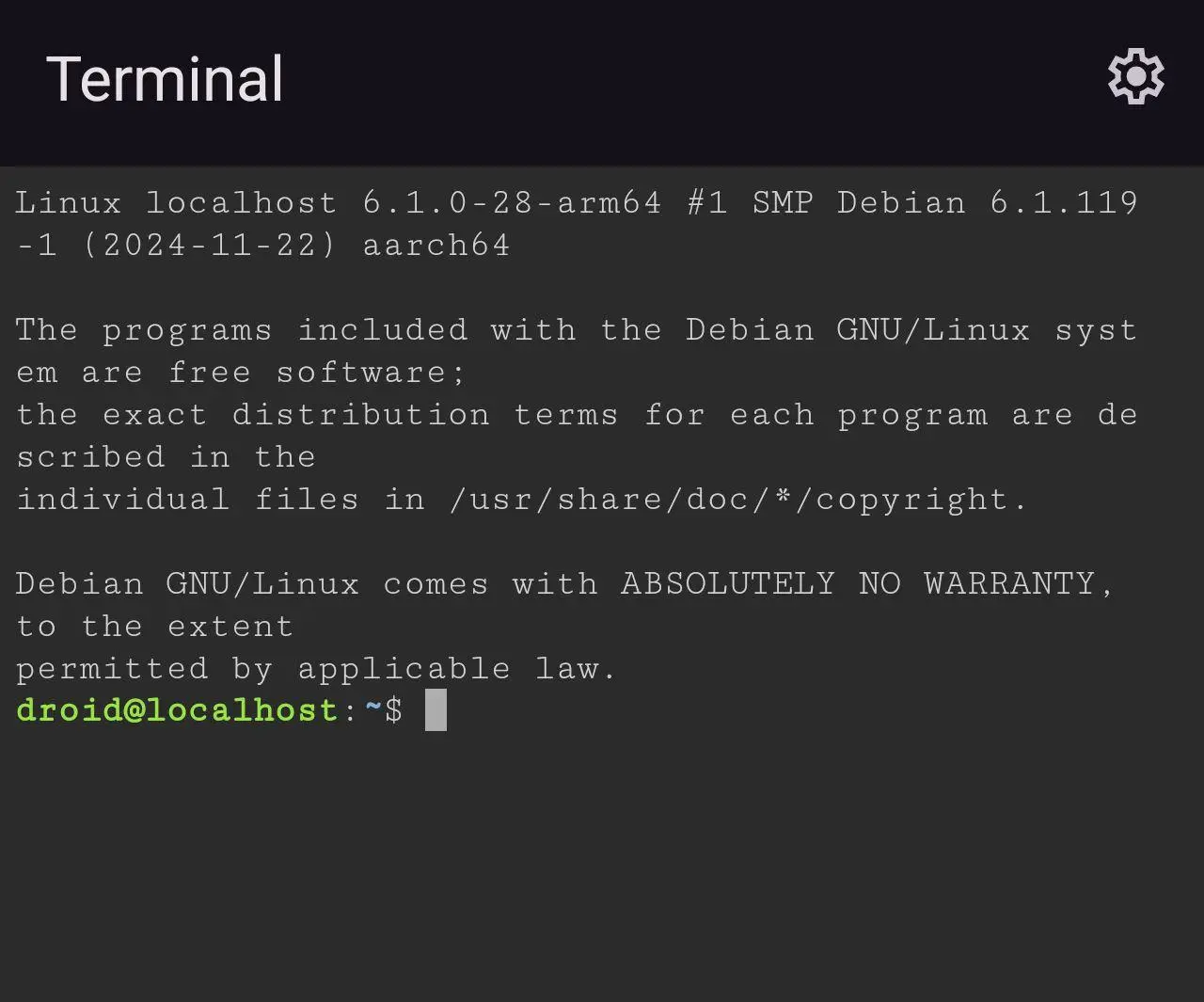
Android LDE is an official feature first launched by Google in Android 13 (released in 2022). It is not a standalone app nor a tool named "Linux Terminal"—the "terminal" is only one of the interactive interfaces of LDE, and its core is a complete Debian Linux system environment built in Android devices through virtualization technology.
Different from traditional terminal emulators that can only simulate command lines, LDE provides a "true system-level experience": it has a built-in apt package manager for software installation, supports systemd service management, and is natively compatible with the compilation environments of mainstream programming languages such as Python, Node.js, and C/C++. Developers can directly write code, run scripts, and build lightweight servers in it without relying on desktop computers.
When activated for the first time, the system will automatically download a Debian base image of about 500MB (a stable network connection is required). Later, developers can install development tools such as Git, Docker, and Jekyll through the apt command as needed. It is recommended to reserve more than 10GB of storage space (including the system image and user data) for overall usage.
II. Technical Implementation Principles and Hardware Requirements
1. Core Technical Support
LDE relies on the Android Virtualization Framework (AVF) at the bottom—this technology was not introduced in Android 15, but was launched as early as Android 12 to provide an isolated virtualized operating environment for applications. The technical evolution of LDE is divided into two stages: when it was first launched in Android 13, it realized lightweight isolation based on container technology; starting from Android 14 and subsequent versions, it enhanced the virtual machine features of AVF, realizing deep isolation between the Linux system and the Android main system, while ensuring secure data exchange (such as sharing specific directory files) through official interfaces.
2. Hardware Requirements (Implicit Official Standards)
- Processor: Must support hardware-assisted virtualization of the ARM architecture (such as the virtualization extension of ARM v8.2+, corresponding to KVM support of chips from Qualcomm, Samsung, etc.), which is the basis for running a virtualized environment;
- Memory: Not clearly specified by the official, but actual measurements show that at least 6GB of RAM is required—devices with 4GB of RAM will experience severe lag due to system memory preemption when running LDE, and 8GB or more of RAM can ensure basic smoothness;
- Storage Space: The base image + essential tools occupy about 8GB, and it is recommended to reserve more than 10GB of free space;
- System Version: Android 13 or above (some old models still do not support LDE after upgrading to Android 13, requiring hardware adaptation).
III. Current Status of Supported Devices and Chipsets
1. Exclusive Official Support: Google Pixel Series
As the "launch carrier" of native Android features, LDE is currently only available for Pixel 6 and newer models (including Pixel 6a, Pixel 7, 8, 9, 10 series, etc. such as Google Pixel 10 XL) and requires upgrading to Android 13 or above. This feature is hidden in "Settings > Developer Options > Linux Development Environment". Before activation, you need to manually enable developer mode and agree to virtualization permissions.
The core advantages of Pixel devices are:
- In-depth adaptation with the Android system, achieving the highest feature integrity (such as supporting sharing of Android's network and storage permissions);
- Synchronized optimization of LDE performance with system updates, supporting the latest Debian images and toolchains;
- Provision of official technical documents and developer community support, making troubleshooting more convenient.
2. Support Status of Non-Pixel Devices and Chipsets
As of October 2025, no non-Pixel devices officially support LDE (the "Samsung Galaxy Z Flip7" mentioned in the original article has not been released yet, and Samsung has not announced any model adaptation plans). Support at the chipset level requires two conditions: the hardware has virtualization capabilities + joint adaptation between the manufacturer and Google. Currently, only the following high-end chipsets have the hardware foundation:
- Qualcomm Snapdragon 8 Gen 2 and above: Complete hardware support, but requires manufacturers to promote system adaptation;
- Samsung Exynos 2300 and above: Optimized virtualization performance, but only limited to customized versions equipped on Pixel devices;
- MediaTek Dimensity 9300 and above: Hardware meets the standards, but no manufacturers have launched adaptation work yet.
It should be specially noted that Apple's M-series chips belong to the macOS ecosystem and have no connection with the Android system. There is no possibility of "supporting LDE", and the relevant statement in the original article is redundant information.
IV. Actual Usage Experience and Typical Scenarios
1. Performance and Functional Limitations
LDE is positioned as a "lightweight mobile development aid" rather than a replacement for desktop workstations. The actual measurement results are as follows:
- Development Tool Support: Can smoothly run command-line editors such as Vim and Nano, and support lightweight project compilation for Python and Node.js; however, it cannot run the desktop version of VS Code. Visual editing can only be achieved through the "VS Code Server + browser" method, and devices with 8GB of RAM need to close other background applications when running;
- Containers and Services: Docker requires enabling "nested virtualization", which is only supported by some Pixel 7 and newer models. Moreover, the battery consumption will increase by more than 30% when running a single container; lightweight web servers (such as Nginx) can run stably, but the number of concurrent connections is recommended not to exceed 10;
- Hardware Access Limitations: The Linux environment cannot directly call Android's hardware such as cameras, Bluetooth, and GPS. It can only use pictures and documents in local storage through file sharing.
2. Typical Usage Scenarios
- Commuting Emergency Development: Fixing simple code bugs (such as syntax errors in GitHub PRs) and writing lightweight scripts (such as data processing scripts);
- Server Management: Connecting to remote servers via SSH, executing deployment commands, and viewing logs without carrying an additional computer;
- Learning Scenarios: Linux beginners can practice command-line operations and become familiar with the Debian system on mobile phones without setting up a desktop virtual machine.
A real feedback from a Pixel 7 developer: "It's convenient to modify Python scripts with LDE during commuting, but it gets hot obviously when running Docker images, so it can only be used for a short time."
V. Limitations and Future Outlook
1. Current Core Limitations
- Poor device compatibility: Only supported by Pixel 6 and newer models, resulting in an extremely narrow ecosystem coverage;
- Performance and power consumption contradiction: Obvious heating and power consumption when running heavy tasks, leading to severe battery life reduction;
- Architecture adaptation issues: The Debian image is of ARM architecture, and some x86 architecture development tools (such as some C++ compilation libraries) cannot run.
2. Future Development Directions (Based on Official Plans)
At the 2025 Google I/O Developer Conference, Google only mentioned "optimizing the memory usage of LDE" and did not announce plans to open it to non-Pixel devices. Combining industry trends, possible breakthrough points in the future include:
- Performance Optimization: Reducing the memory usage and power consumption of virtual machines through AVF version upgrades;
- Manufacturer Cooperation: Jointly building adaptation solutions with leading manufacturers to gradually open support for high-end models;
- Cloud Collaboration Enhancement: Deepening the linkage with Google Cloud to realize seamless synchronization between the local LDE and the cloud development environment.
VI. Conclusion
Android Linux Development Environment (LDE) is an innovative feature created by Google for mobile development scenarios. It breaks the inherent perception that "mobile devices cannot run a complete Linux system" through virtualization technology, providing developers with a lightweight solution for "coding anytime, anywhere". However, it should be clear that currently it is still an "exclusive tool" for Pixel devices, with obvious limitations in performance and compatibility. It is more suitable for emergency development and learning scenarios and cannot replace desktop workstations for the time being.
With the popularization of virtualization technology in mobile chips and the advancement of manufacturer adaptation, LDE is expected to move from a "niche feature" to a broader ecosystem in the future, but this process still requires time accumulation. For developers, if you use a Pixel 6 or newer model, LDE is worth trying as a "mobile development backup tool"; if you pursue a complete development experience, desktop Linux or macOS is still a more reliable choice.
Similar Insights
- Mobile Phone Price Differences Between Chinese and Global Markets
- Android Linux: A New Professional Development Option
- vivo S50 Series Officially Launched: Fully Upgraded as the "Telephoto Live Essential"
- AI Phones: The AI Interaction Revolution and Ecological Power Game
- The Honor WIN series will be released on December 26th, and it is claimed to be the "annual esports flagship"